Introducing the New EVStream Player Dashboard
June 27, 2026 · 4 min read
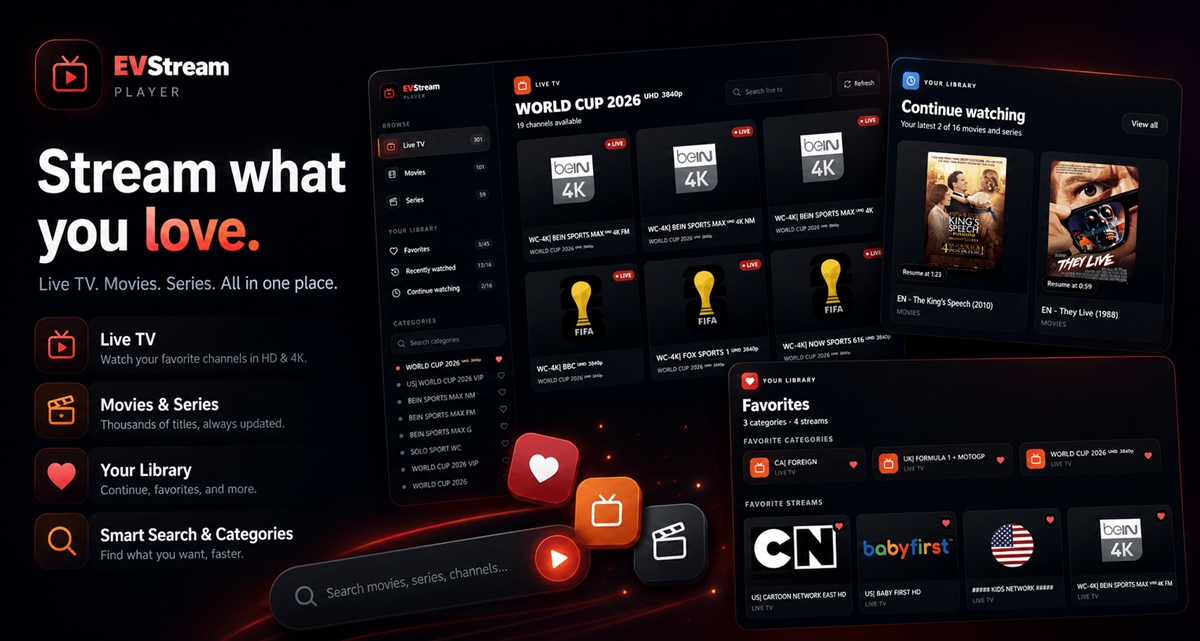
We are excited to introduce a major update to the EVStream player dashboard — a cleaner, more organized experience built to make IPTV browsing faster, easier, and more enjoyable.
The new dashboard is now available through the main EVStream connect page. It keeps the same simple browser-based IPTV experience, but improves the way you browse live TV, movies, series, saved content, and playback history.
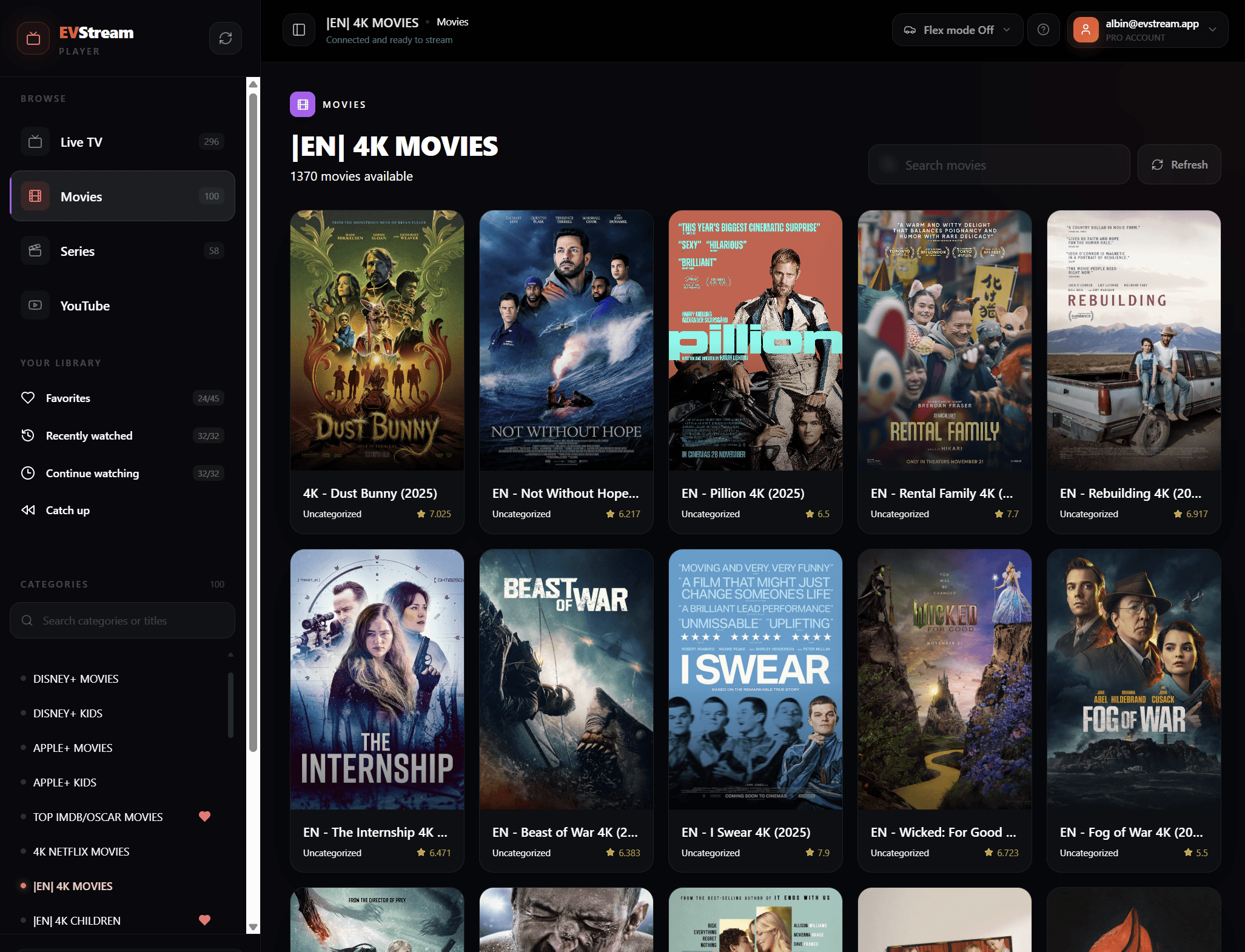
A Cleaner Player Dashboard
One of the biggest goals with this update was organization. IPTV playlists can contain hundreds or even thousands of categories, channels, movies, and series. A player can have great streaming technology, but if finding content feels difficult, the experience suffers.
The new EVStream dashboard introduces a more modern dark interface, a clearer sidebar, and larger content cards that make browsing feel more visual and less cluttered.
Favorites
Save favorite categories and streams so your most-used content is always a click away.
Recently watched
See your latest watched channels and streams without searching through your full IPTV library again.
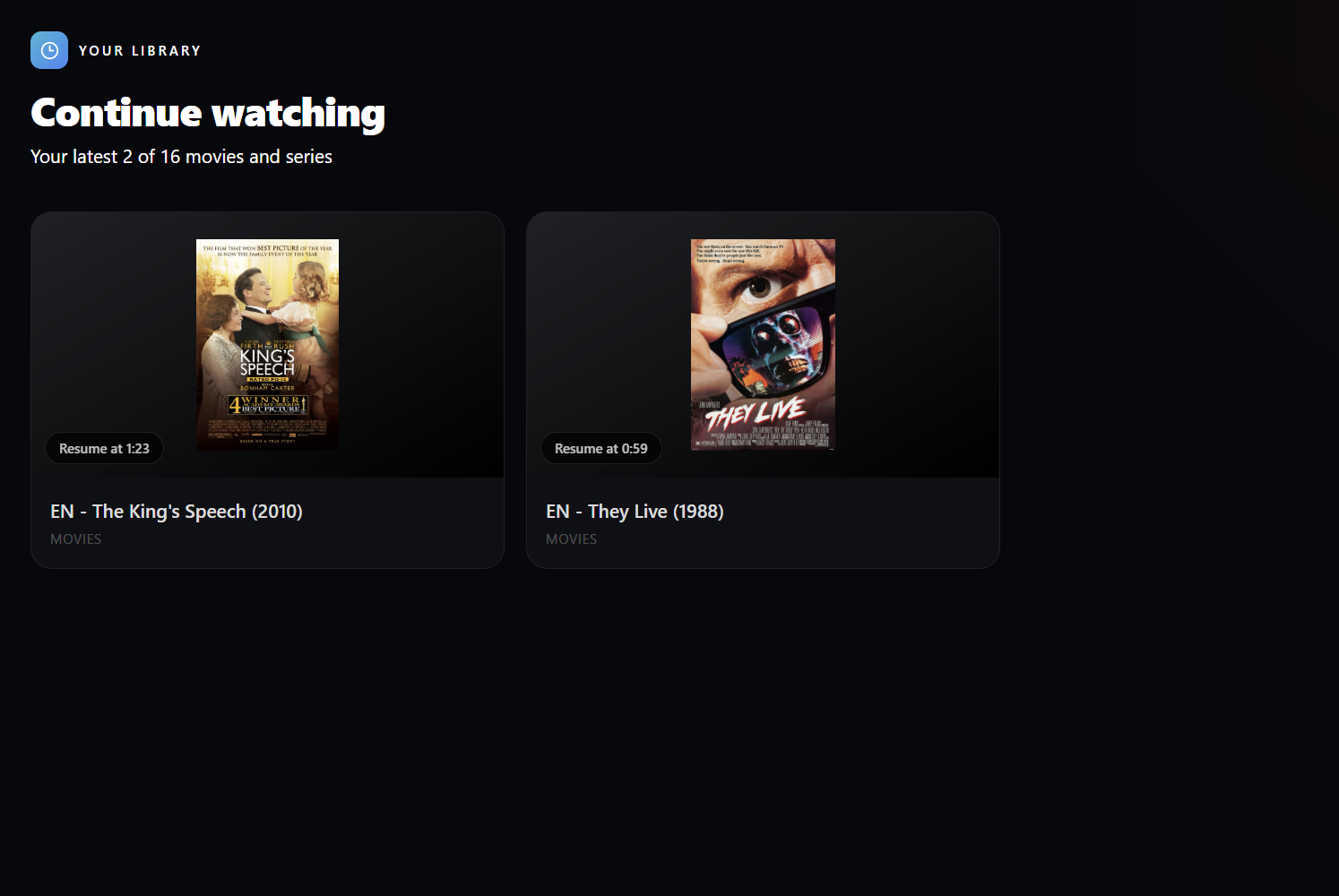
Continue watching
Resume movies and series from where you left off, with progress saved automatically.
Better search
Search categories and content from the new dashboard layout with a cleaner, faster browsing experience.
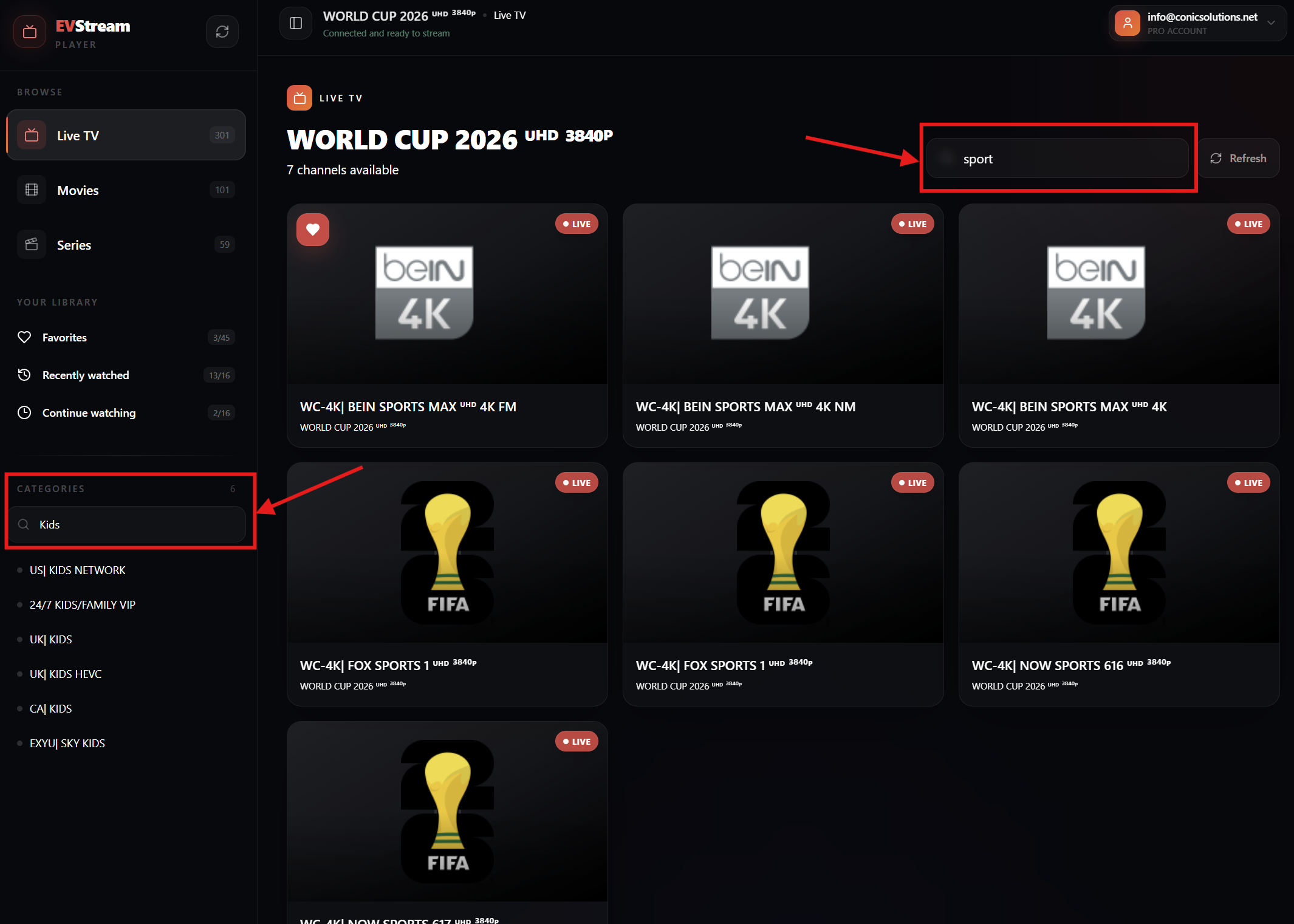
Better Search for Categories and Streams
Large IPTV libraries need good search. The updated dashboard now gives you search in the places where it matters most: categories in the sidebar and streams inside the selected category.
This makes it easier to narrow down content quickly, whether you are looking for sports, kids channels, a movie category, or a specific stream inside a large provider playlist.
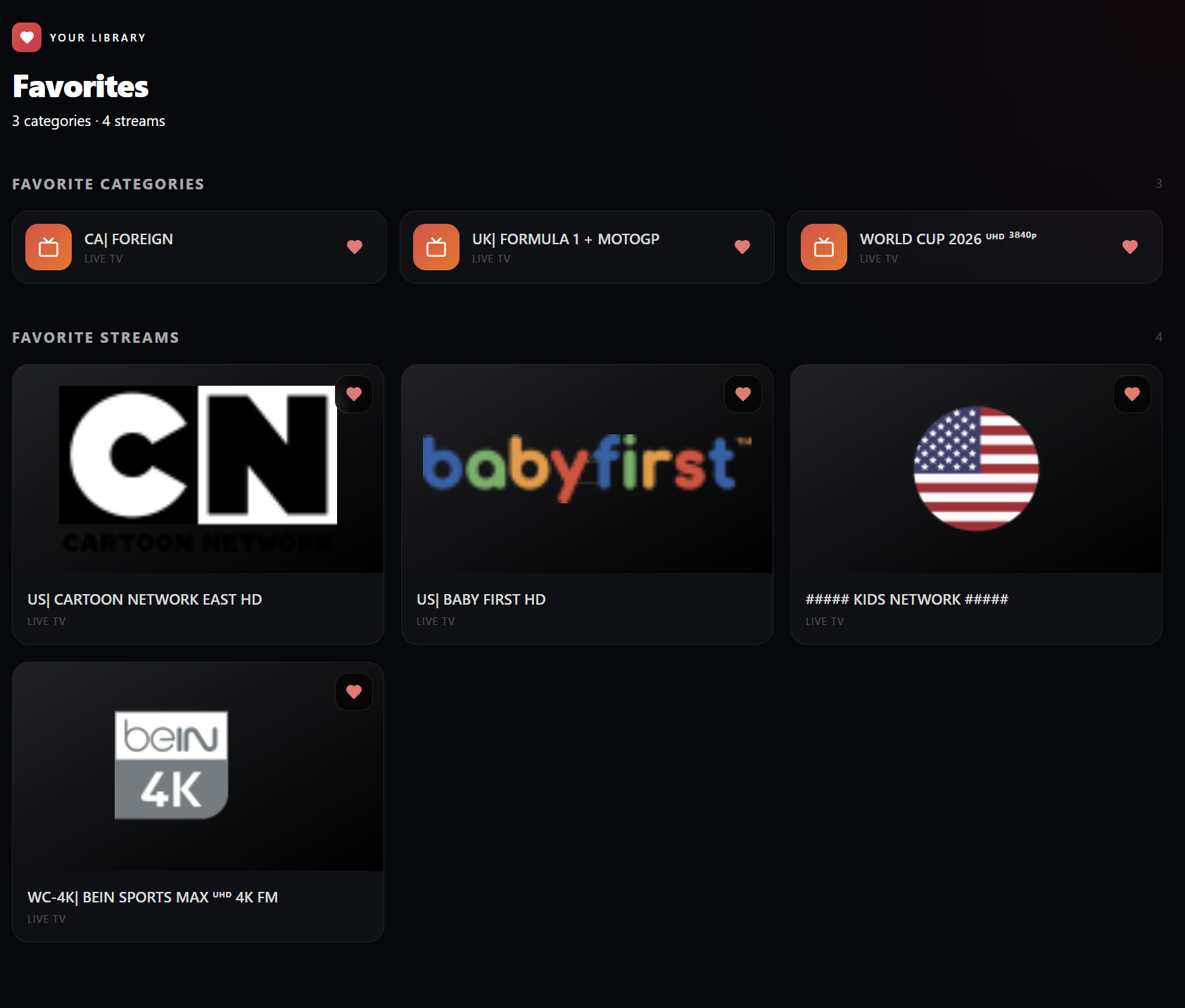
Favorites: Keep Important Categories and Channels Close
Favorites are designed for the content you return to again and again. You can save both categories and individual streams, which is especially useful when your IPTV playlist has many sections.
Instead of scrolling through your full playlist every time, you can build a personal library of favorite live channels, movie categories, sports categories, kids content, or anything else you watch often.
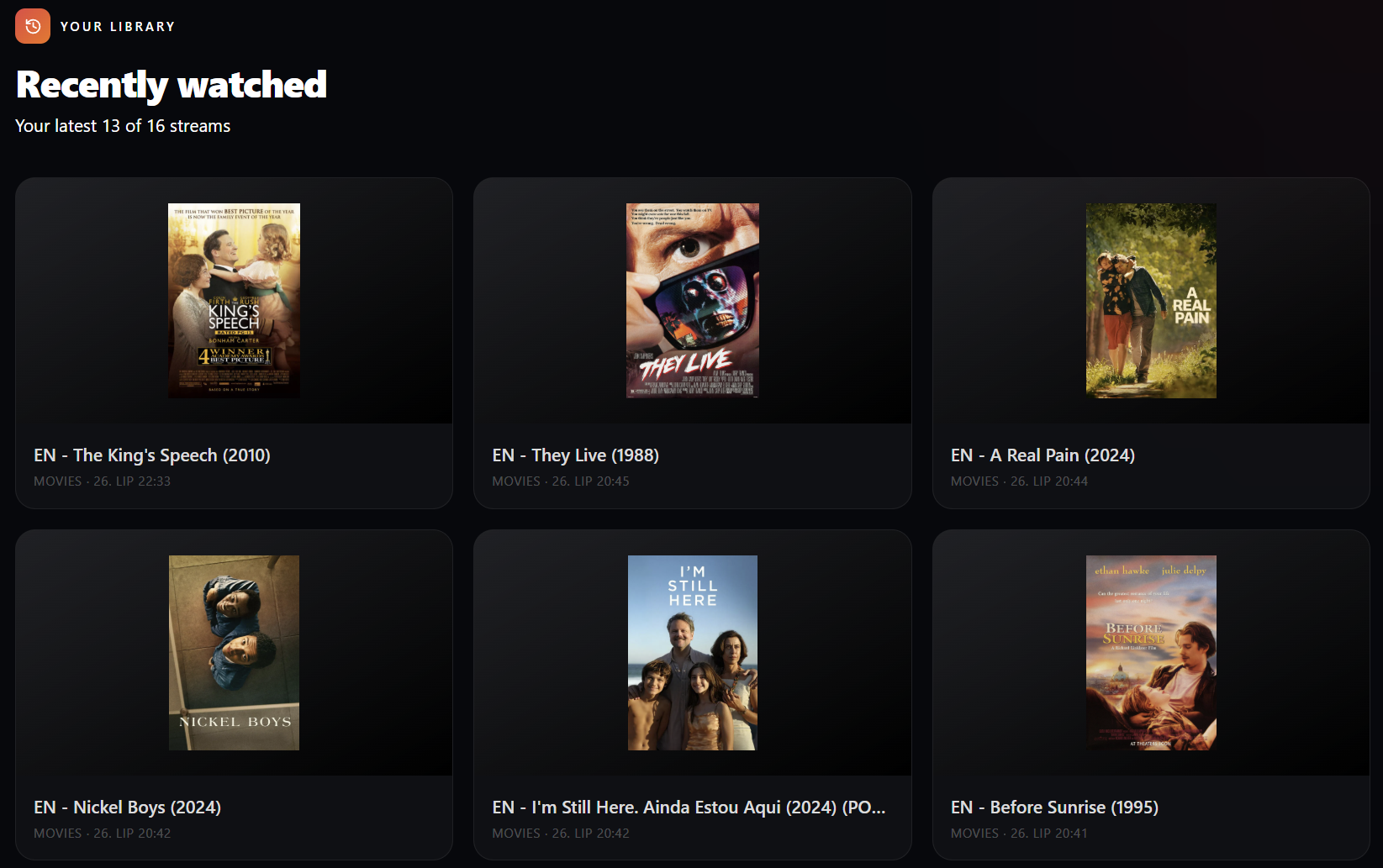
Recently Watched: Quickly Reopen What You Just Watched
The new Recently watched section gives you a simple history of the latest streams you opened. This is helpful when you switch away from a channel and want to return to it later without searching again.
It keeps the player experience more natural: watch something, browse around, and return to recent items when needed.
Continue Watching: Resume Movies and Series
Continue watching is one of the most useful additions for movies and series. EVStream can now remember where you left off, so you can resume playback from the saved position later.
This is especially helpful for longer movies, episodes, or sessions where you need to stop watching before finishing. No more trying to remember the exact minute where you paused.
Built for Browser-Based IPTV
EVStream is still focused on a simple idea: IPTV should work directly in the browser, without complicated setup or app installation. The new dashboard continues that approach while making the player feel more polished and easier to use across desktop, mobile, tablet, Tesla browser, and other EV browsers.
The update also keeps account controls and playlist access closer to the player, so users can move between connecting, managing playlists, and watching content with fewer steps.
Our goal is simple: help you find what you want to watch faster and continue watching with less friction.
Try the New Dashboard
The new player dashboard is now the default experience on EVStream. To try it, connect your IPTV provider from the connect page.
If you notice any issues or have suggestions for what we should improve next, please let us know at albin@evstream.app.
Thank you for choosing EVStream.app. We appreciate every user who helps us make the player better.
Open your Tesla browser and try it today
Charge your car. Stream your favorites.
Launch EVStream.app